> ## Documentation Index
> Fetch the complete documentation index at: https://docs.myconsultant.id/llms.txt
> Use this file to discover all available pages before exploring further.
# Mengganti Kata Sandi Akun MyConsultant
> Panduan reset kata sandi akun MyConsultant lewat halaman login, mulai dari permintaan tautan reset hingga membuat password baru.
Panduan ini menjelaskan cara mengganti kata sandi akun MyConsultant jika Anda lupa password atau ingin memperbaruinya. Prosesnya dilakukan lewat [halaman login member](https://member.myconsultant.id/) dan hanya butuh akses ke email yang terdaftar.
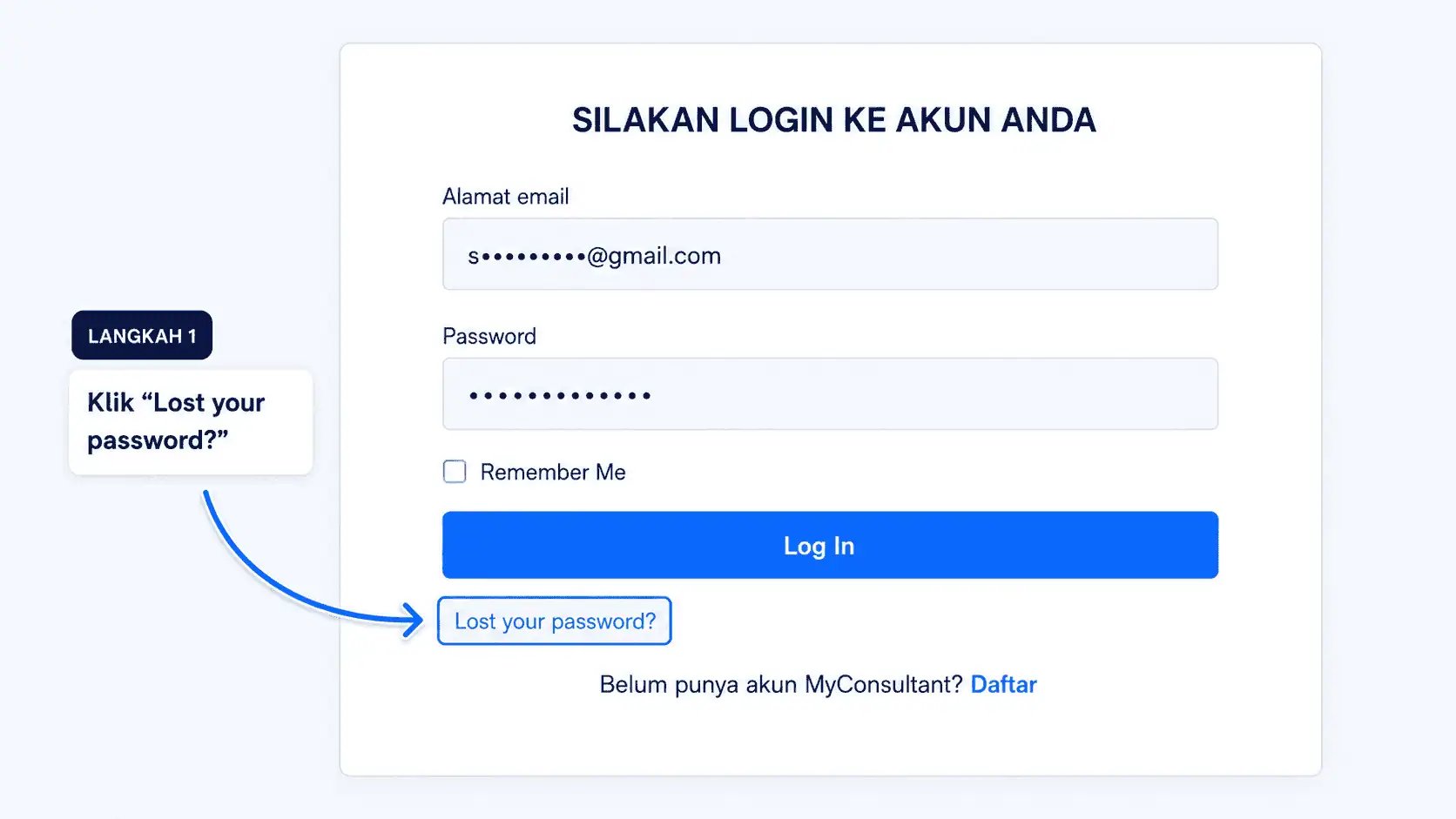
Kunjungi [member.myconsultant.id](https://member.myconsultant.id/) lalu klik **Lost your password?**.
 Isi alamat email yang Anda gunakan saat mendaftar di MyConsultant.
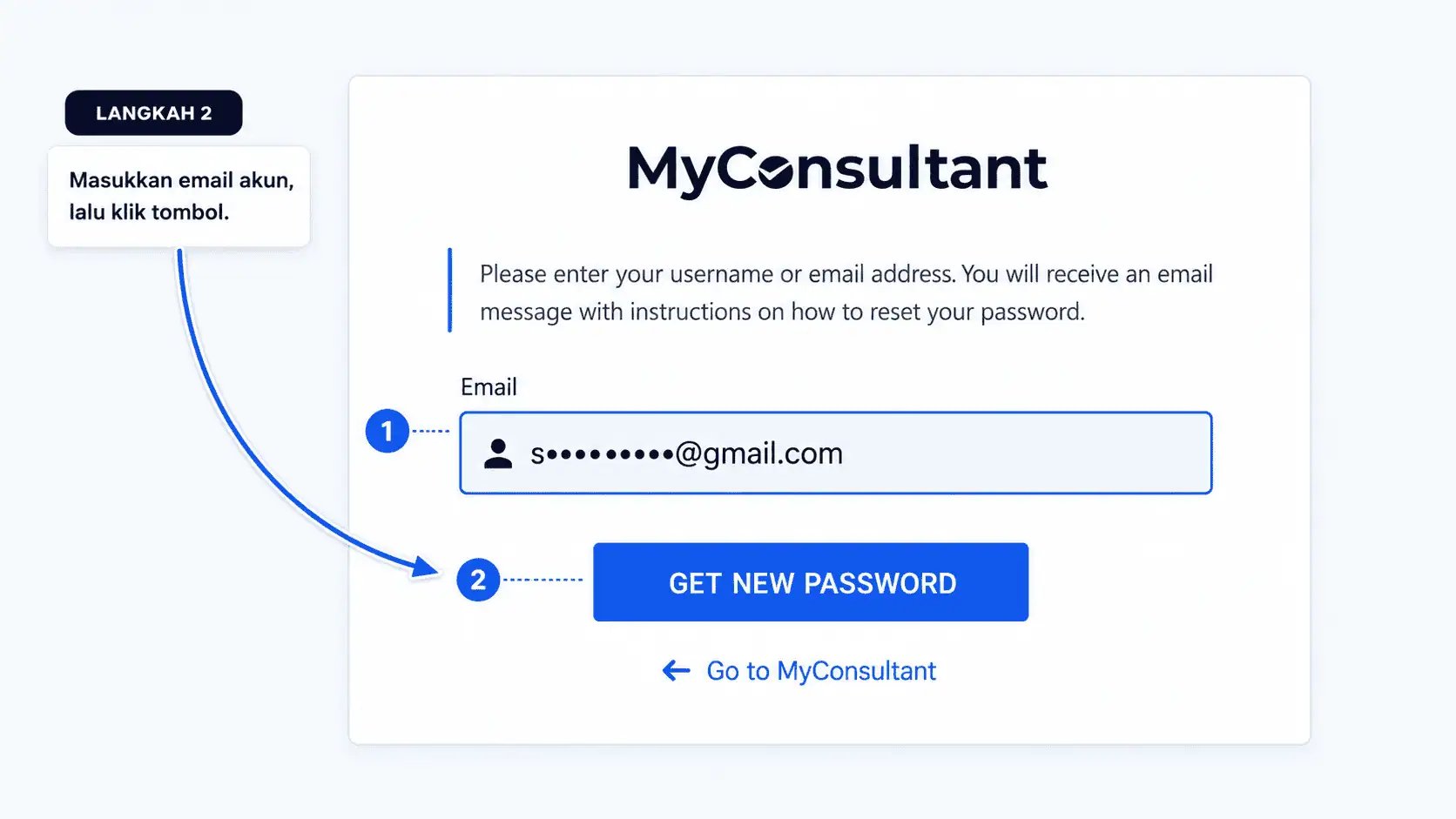 Sistem akan mengirim tautan reset ke email Anda.
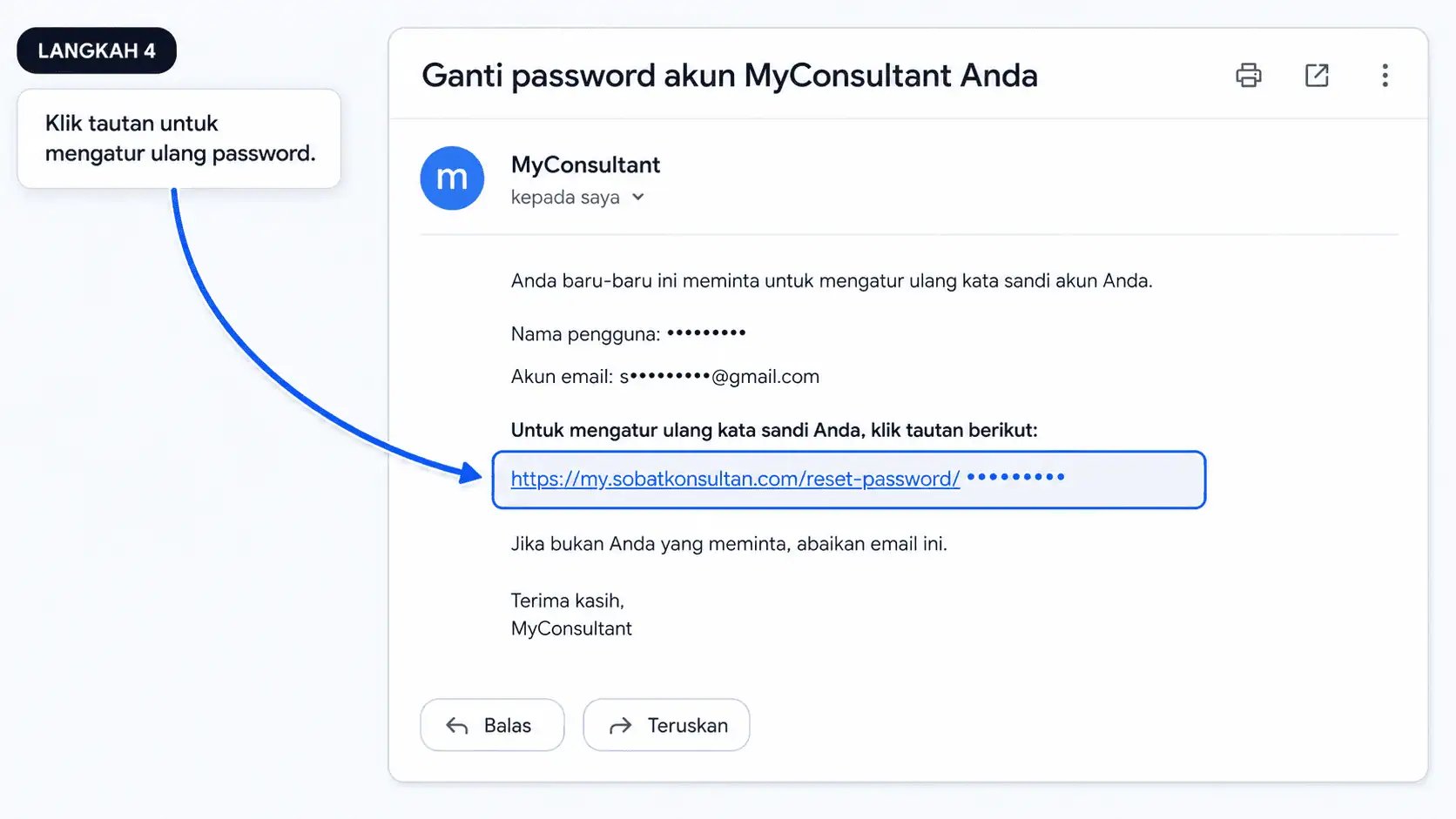
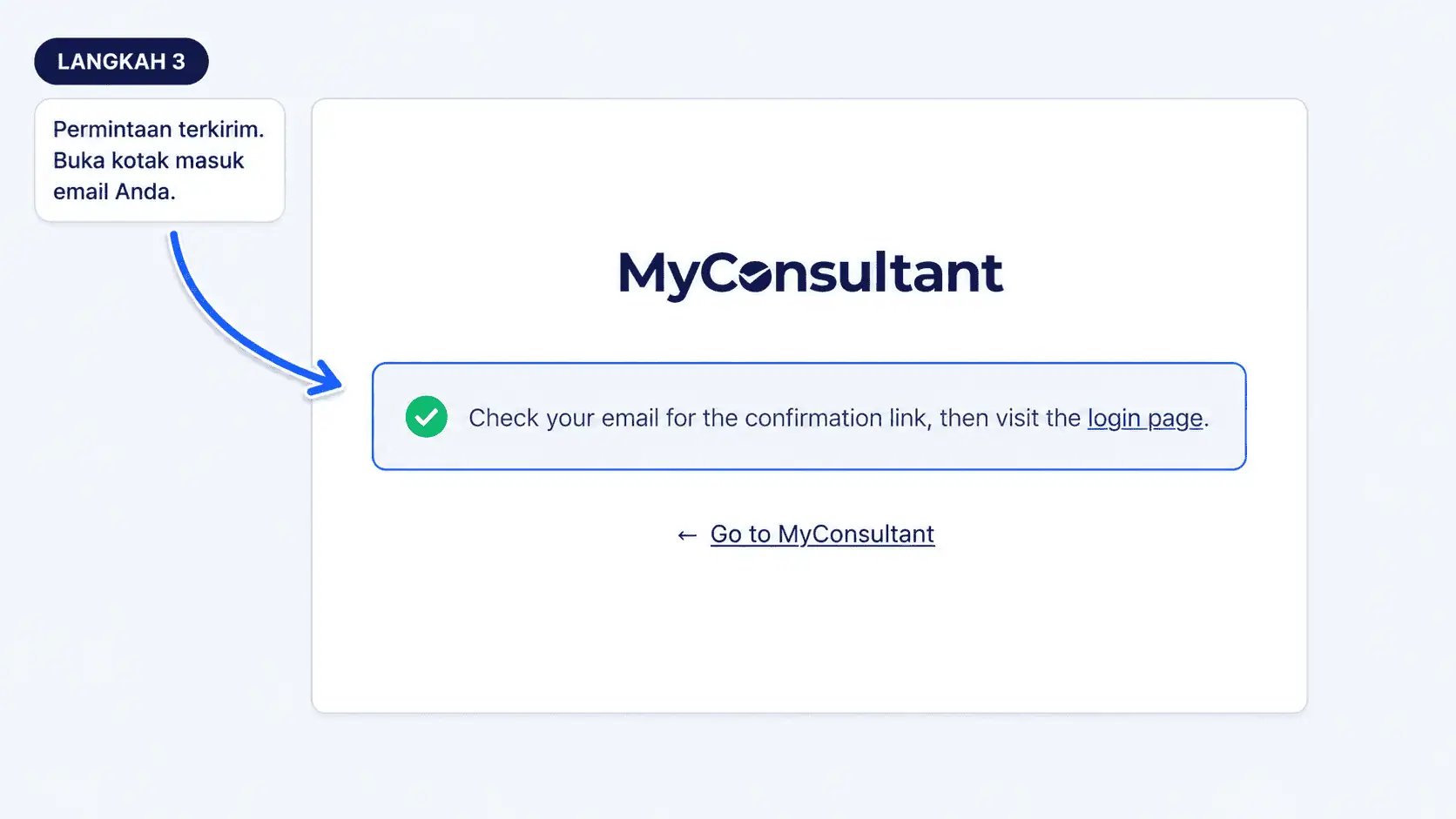 Cek inbox (atau folder spam), lalu klik tautan konfirmasi yang dikirim.
 Masukkan password baru pada form yang muncul.
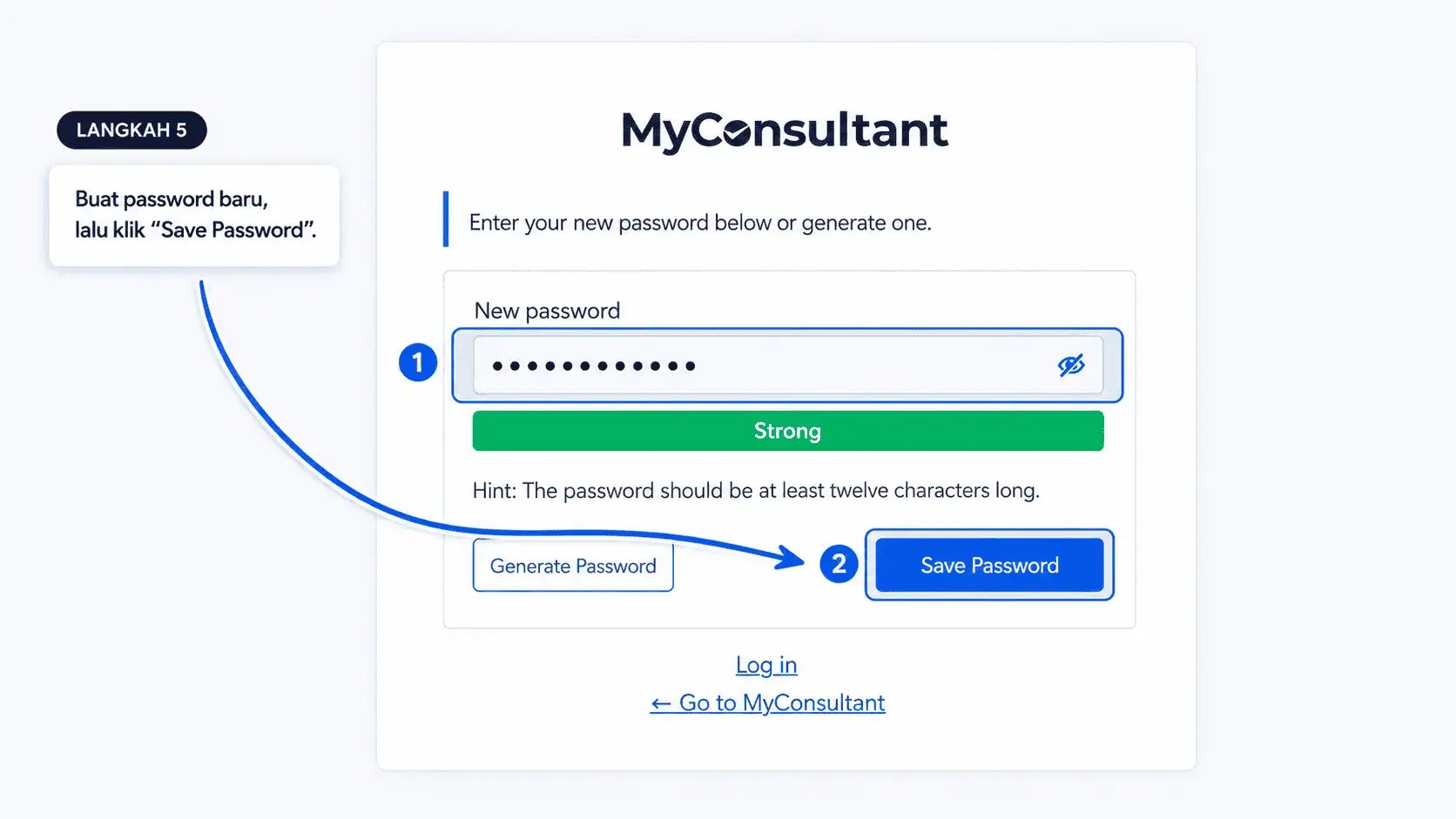 Klik **Save Password**, lalu klik **Login** untuk kembali ke halaman login dan masuk dengan password baru.
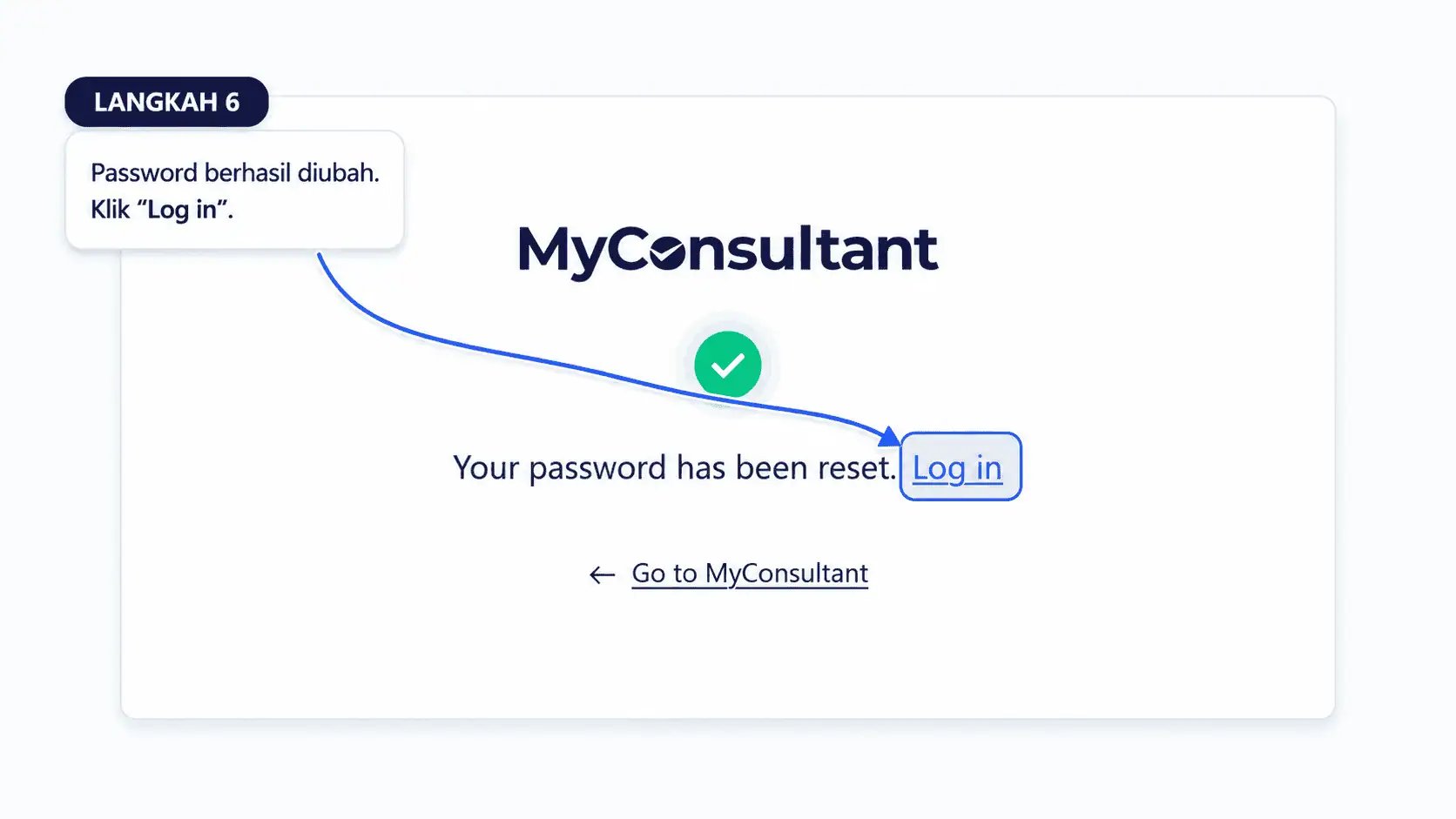 Setelah proses selesai, gunakan email terdaftar dan kata sandi baru untuk login. Jika tautan reset tidak muncul di inbox dalam beberapa menit, periksa folder spam atau ulangi dari langkah pertama.
Jika masih mengalami kendala, hubungi tim dukungan MyConsultant melalui email atau fitur bantuan di dalam platform.
This documentation is built and hosted on [Mintlify](https://mintlify.com), a developer documentation platform.
Setelah proses selesai, gunakan email terdaftar dan kata sandi baru untuk login. Jika tautan reset tidak muncul di inbox dalam beberapa menit, periksa folder spam atau ulangi dari langkah pertama.
Jika masih mengalami kendala, hubungi tim dukungan MyConsultant melalui email atau fitur bantuan di dalam platform.
This documentation is built and hosted on [Mintlify](https://mintlify.com), a developer documentation platform.